Fairs & conferences
Registrations and invoices for your fair or conference
Companies receive a correct invoice with their order straight away. You ask every attendee for the details you need, and invite speakers and partners with free tickets.
- Invoices for companies
- Name and questions per attendee
- In your own branding
- Technical emergency line during your event, 24/7


You know who's coming, and the accounts add up
At a conference, a company often buys tickets for several colleagues. You need their names, sometimes their job title or dietary needs, and the company wants an invoice.
In EventSquare, every attendee fills in their own details before they can download their ticket. Invoices are created and numbered automatically, and you'll find them in your financial reports.
Before the event everyone gets the practical information through EventSquare Journey, and at the entrance you scan the tickets.
Three steps to your conference
Tickets, payments and access all run in the same workspace. You don't need any technical knowledge.
Step 1
Create your account and ticket store
Sign up for free and follow the checklist until your ticket store is ready.
- Add your visuals, colours and texts
- Choose ticket types, prices and questions per attendee
- Share your ticket store via a link, your website or social media
Step 2
Start selling and follow everything live
Publish your ticket store and follow sales in your dashboard.
- See who has registered and what they answered
- Companies receive their invoice straight away
- Attendees get practical information through EventSquare Journey
- Visitors pay through a short checkout
Step 3
Run your event day with confidence
On the day, you scan tickets and follow the entrance live.
- Scan with the free app on your phone
- See live how many people are inside
- For a technical problem, call our emergency line, 24/7
Set up your ticket store step by step
Create a free account. A checklist shows what you still need to set up before you can sell.
Before, during and after your event
Registrations, invoices, emails to attendees and access all run through the same workspace. You start your next edition with a copy of this one.
Before your event
Choose which details you need and how you invoice.
- Ticket types per day, workshop or package
- Questions per attendee, required or optional
- VAT per ticket type and invoices for companies
- Free invitations for speakers and partners
During your event
You see live what happens at the entrance.
- Scan with the free app on your phone
- See live how many people are inside
- Choose which tickets each entrance accepts
- Look up an attendee by name in the scan app
After your event
Take what you learned to the next edition.
- Export attendee lists with their answers
- Download your invoices and financial reports
- Ask for feedback through EventSquare Journey
- Copy your event to a new edition
What others say
What organisers say
Organisers on their experience with EventSquare.



EventSquare is more than a ticketing platform – it’s a true partner. Always available, they resolve issues quickly, listen to feedback, and adapt their solution to our needs and budget. Their flexible architecture makes them the ideal match for companies seeking reliable, customer-focused technology.

We use EventSquare regularly and our experience has been very positive. Support is excellent—always quick and helpful, even for simple advice. That personal approach truly makes the difference.

A user-friendly application to easily set up a ticket shop and clearly track sales. Support is excellent, with quick phone accessibility and personal contact.

For our many events, EventSquare has been a reliable partner. From day one until now, three years later, the platform has been worry-free and the collaboration both pleasant and professional.
Integrations
Connect EventSquare to the tools you already use
Your sales and customer data flow to your other tools automatically, so you don't have to export and import.
Tracking and analytics
Connect Google Analytics, Google Tag Manager, the Meta Pixel or the TikTok Pixel and track conversions in your ticket store.

Connect your other tools
Sync your customers with Mailchimp, run a Make or Zapier scenario for every order, or connect EventPay for cashless payments and TicketSwap for safe resale.
On your own website
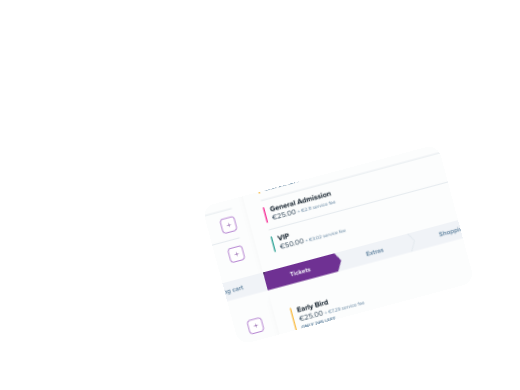
Embed your ticket store on your own website. Visitors buy tickets without leaving your site, on any device.
API and webhooks
Connect your own software with our API and webhooks. Every order can automatically trigger an action in your own system.

Set up your ticket store step by step
Create a free account. A checklist shows what you still need to set up before you can sell.
Frequently asked questions
Create a free account and add your event. A checklist shows what still needs to happen before your ticket store can go live, such as completing your organisation details and connecting your payment partner. You don't need any technical knowledge. Read more in our help centre.
Yes. You choose your ticket types, prices and when they go on sale. You can still change them after sales have started.
Your account is free: no setup costs, no contract and no minimum sales. For every paid ticket we charge a service fee. For each ticket type you choose whether you pay it or pass it on to the buyer. Free tickets cost you nothing. Read more here.
Yes. You create as many ticket types as you like, each with its own price, colour and quantity. Need barcodes for printed tickets? With PRO you export them yourself per ticket type.
Yes. Besides tickets, you sell extras such as drink vouchers, food vouchers, parking tickets or merchandise in the same ticket store, so less cash changes hands on site. Read more here.
Yes. You add questions per ticket, required or not. They appear after payment, so the order stays short. If someone orders four tickets, they answer the question for each ticket.
Export your orders per ticket or as a customer list. Per ticket type, you can also download the guest list.

Need help with your event?
As an organiser you're dealing with line-ups, suppliers, permits, crew and safety. On top of that your ticket sales need to be set up, your promotion has to run and you want to know how sales are going.
We help you think through your setup, your prices and your event day, all the way to the final settlement. During your event, our technical emergency line is available 24/7.